Rocket.net Introduces Site Cloning
- •
- 2 min read
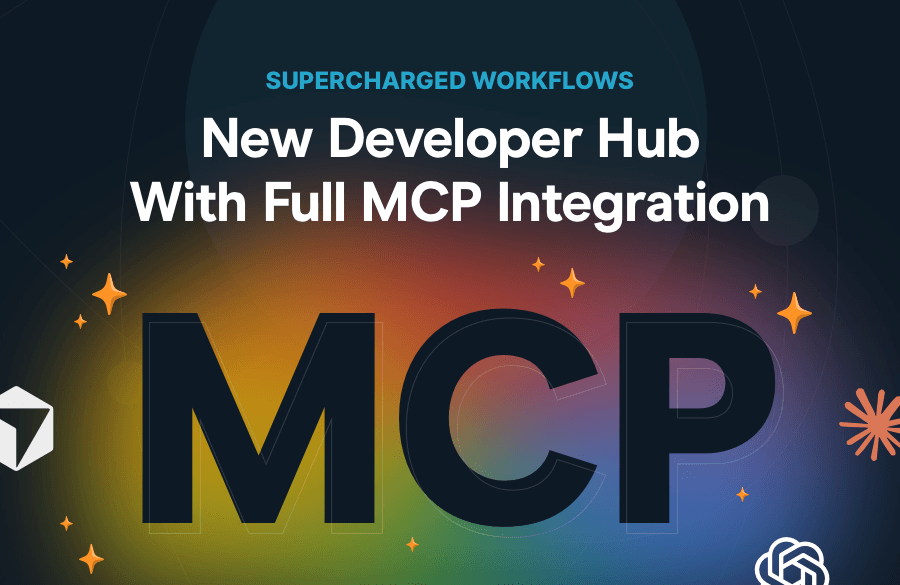
Today, we’re excited to announce that Rocket.net has launched full Model Context Protocol (MCP) integration, enabling our customers to manage their WordPress sites directly from Claude, ChatGPT, and other MCP-compatible AI assistants or agents. From spinning up a new site to running WP-CLI commands across your entire fleet of WordPress sites, you can now do it all in natural language, and it’s available to every Rocket.net customer right now, at no additional cost.
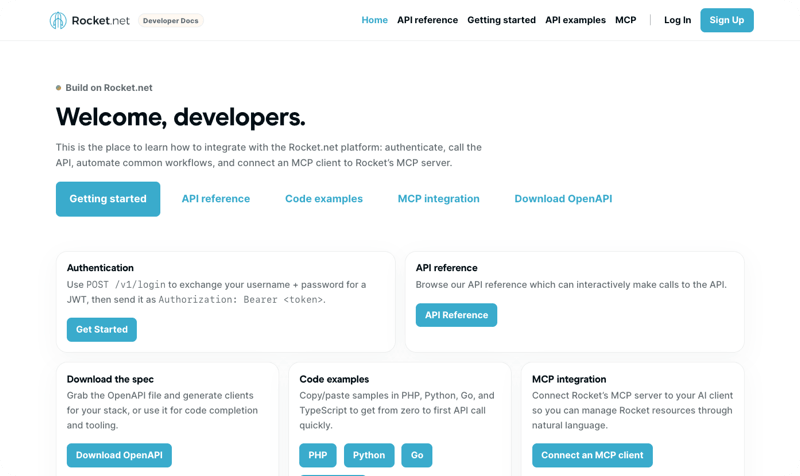
We’re also excited to launch an all-new developer hub at https://developers.rocket.net, making it easier than ever to integrate with the Rocket.net platform. From our API documentation, to code examples, and the MCP Integration docs, we’ve got everything you need to take your WordPress experience to the next level ahead of the upcoming WordPress 7.0 release.
None of this happened overnight. It’s the result of a foundational decision we made back in 2020: every single feature at Rocket.net is built API-first.
Our engineering team writes OpenAPI specs, and our endpoint code and validations are generated from those specs. There is no separate “documentation phase,” no drift between what the API does and what the docs say it does, and no manual maintenance of client SDKs. The spec is the source of truth, and it always matches the code.
This approach pays dividends in ways that aren’t always visible from the outside. Our frontend engineers automatically generate API clients straight from the spec. Our documentation stays in lockstep with our code. And, as it turns out, when something like MCP comes along, we’re in an exceptional position to move quickly.
With that said, our MCP server is fully integrated with our API spec and CI/CD process, so once we have new endpoints available, our MCP Integration immediately supports these specs by rebuilding off the new spec and immediately deploying, no customer effort required whatsoever!
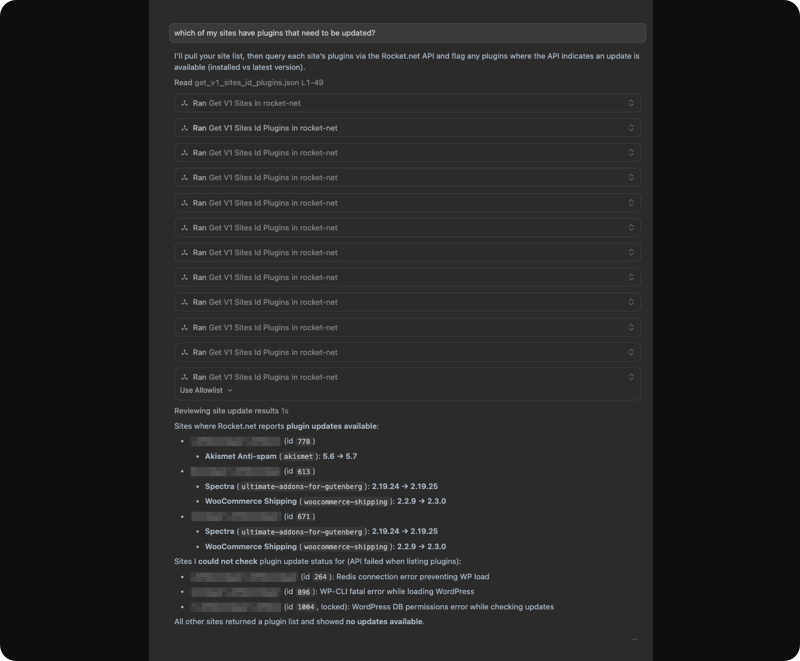
The Rocket.net MCP server is fully aware of the entire Rocket.net API. That means you (or an AI agent acting on your behalf) can perform things like:
Want to spin up a fresh staging site for a new project? Just ask. Need to push a plugin update across dozens of sites the moment a release ships? An agent can handle it. Want to audit your fleet for outdated themes, security issues, or PHP versions? It’s a single conversation away.
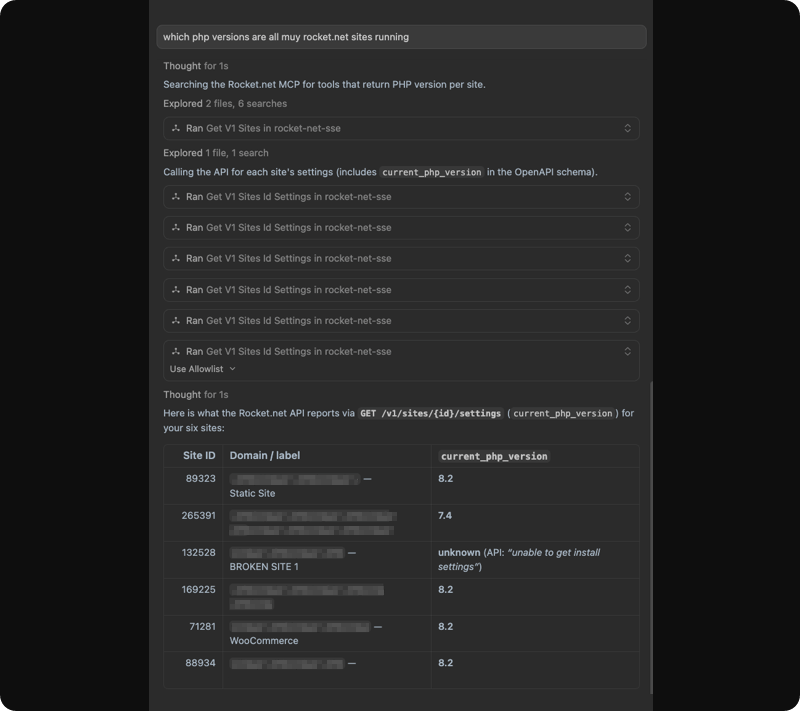
Use case: Find all of your WordPress sites with out-of-date plugins:
Please show me all of my Rocket.net WordPress sites with out-of-date plugins and which plugins are out of date on the install.
I ran this prompt in cursor, and within seconds, I had a full list of every site running outdated plugins, along with the plugin that needs updating:
testdomain1.com (213898): Akismet Anti-spam: Spam Protection
testdomain2.com (78235): Advanced Custom Fields PRO; Advanced Custom Fields: Table Field; Contact Form 7; CookieYes; Custom Post Type UI; HubSpot All-In-One Marketing – Forms, Popups, Live Chat; JSON Feed; Joli Table Of Contents; Rank Math SEO; Rank Math SEO PRO; Reading Time WP; Unbounce Landing Pages; WP Job Openings; WP Rocket; WPS Hide Login; WordPress Importer
What makes this even more impressive is that you can effortlessly update all or some of your sites.
For example:
Please update the out-of-date plugins on testdomain1.com
With the result:
Done — I updated the outdated plugin on testdomain1.com (site 123456) via Rocket MCP.
What was updated
akismet from 5.6 to 5.7
Verification
After the update, plugin status now shows:
akismet: update: none, version: 5.7
There are no remaining out-of-date plugins on that site right now.
Outside of bulk actions, the MCP Integration can also clear CDN cache, clone sites, create snapshots, literally everything you can do via the Rocket.net control panel and API is now available in a simple conversation.
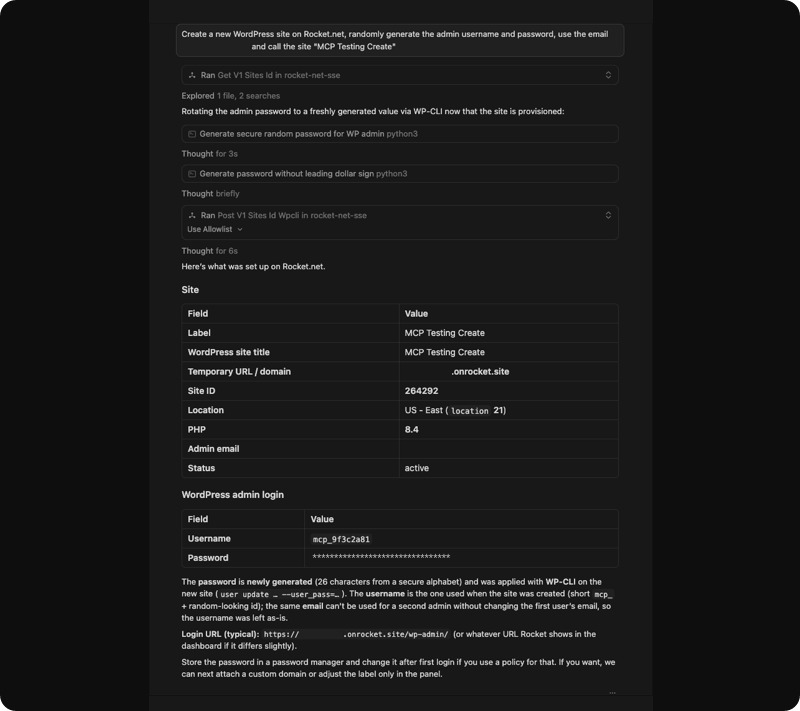
For agencies, developers, and teams running WordPress at scale, this is a real shift. With the Rocket.net MCP server, WordPress management becomes something you can build directly into your automated pipelines and agent workflows.
Whether you need to provision a new site as part of a client onboarding flow, trigger a plugin update from a CI release, or have an agent investigate and remediate issues across your hosting environment, the Rocket.net MCP integration covers the entire API surface. There’s nothing it can’t reach.
The world of AI is changing fast. We’re seeing more and more agentic programming, where developers and operators don’t just write code, they orchestrate AI agents that take action on their behalf. We believe it’s essential that our platform is fully compatible with that future, not retrofitted into it later.
Building an API-first approach since day one made this possible. Building MCP-first is the natural next step in supporting the new agentic world we’re living in.
The Rocket.net MCP integration is immediately available to all of our customers at no additional cost. Connect it to Claude, ChatGPT, or any MCP-compatible client, and you can start managing your WordPress sites through natural language right away.
Full documentation on the Rocket.net API and MCP integration can be found on our new developer hub located at https://developers.rocket.net.
And this is just the beginning. We have a number of AI-focused releases lined up over the next few weeks, so stay tuned; there’s much more on the way.