How To Handle A Client’s Website When They Stop Paying
- •
- 12 min read
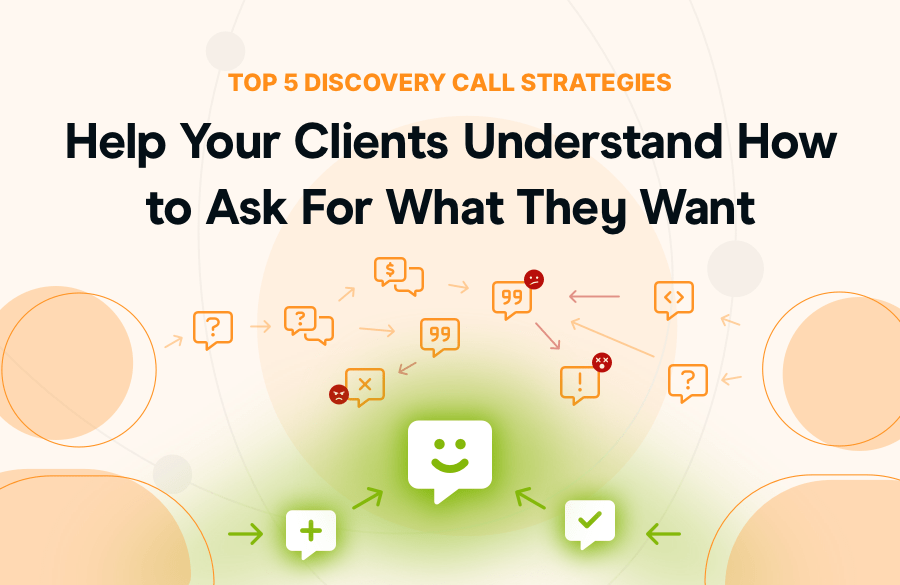
Most client-agency conflicts stem from miscommunication, not budget or timeline issues.
From ‘above the fold’ to ‘breakpoint’, ‘viewport’ to ‘cache’, ‘help content’ to ‘hero section’ – clients struggle to express their needs because they lack the vocabulary we use for the web. We are talking different languages.
The solution: work smarter. Use structured frameworks instead of open-ended questions. Turn vague feedback like “make it pop at the top on my phone” into actionable items.
“How do you manage simple change requests? You need to be a good communicator. Now, you might have that skill, but do your clients?”
Rocket.net – Agency Communication Guide for Clients That Need ‘Simple‘ Changes
Client: “I don’t know. Up top. Can you really make it pop?”
You: “Above the fold? Which element — the headline, CTA, or the hero image?”
Client: “Just… the whole thing needs more energy.”
You: “What does ‘energy’ mean here?”
Client: “You’ll know it when you see it. Can we get an update by Monday?”
Four revisions, Monday morning later: “Oh, that’s nice, but I just wanted a bigger button — and orange — like on Amazon.”
That’s six billable hours and your Saturday is gone because your client doesn’t know how to ask for what they want on a website.
They’re not wasting your time deliberately; they just don’t speak “website.” You speak of rems and UX patterns. Clients speak about business goals and gut feelings.
It’s time to bridge that gap.
Your clients are experts in their business. They know their customers, their market, and their product inside and out.
But websites? That’s your world, not theirs.
Client-agency conflicts are no different from those within any team working on a project. Most stem from miscommunication. Why? Because we haven’t defined our jargon. Fix that before it becomes a problem by understanding each other’s perspectives. And do that during requirements gathering.
It’s not the budget, and it’s not the timeline. It’s just two people failing to understand each other.
The problem isn’t your clients. Maybe it’s the process you’re using to extract what they need.
Your client says:
Each phrase signals a missing structure in discovery. Never accept these as final input.
Meet Alex. Like many agencies, freelancers, and other overworked devs, Alex lived through endless revision cycles. Then they implemented “constraint-based discovery.”
Results:
Why it works: Structured choices create clarity. Open questions create confusion.
Your move: Make this process a part of your next kickoff.
What else can you do? A lot.
“You build trust and save money by simplifying client communication.”
Hosting.com – Livestream: The hidden cost of poor client communication – and how to fix it

Stop asking clients to describe what they want. Show examples and ask them to react.
Before kickoff, send a Google Form with 15-20 website screenshots from different industries. Mix minimal and busy, dark and light, corporate and playful.
Ask three questions per example:
Why this works: Clients react to concrete examples better than describing abstracts. You’re asking them to curate, not invent. Result? Three revisions instead of twelve.
Here’s where discovery calls go wrong.
You ask: “Do you want a blog?”
They say, “Sure, everyone has blogs.”
You build it. They never use it. Four hours wasted.
Talk about business problems, not features: “How are potential customers learning about your expertise before they buy?”
When you anchor discovery in business outcomes, clients describe real problems instead of requesting random features.
Most clients want everything prominent. Logo bigger. Headline stands out more. CTA emphasized. Every product featured. Everything is “popping” simultaneously.
This doesn’t work. Too many heroes ruin the story. You get visual chaos where nothing stands out.
List every element they mentioned. Force categorization:
When clients later ask to emphasize something, reference the matrix: “We agreed testimonials were Nice to Have. If we emphasize them, which Must-See element gets de-emphasized?”
Before any visual design, create low-fidelity wireframes — gray boxes, no colors or imagery. Just structure.
Present with clear framing: “This shows where everything goes and the hierarchy. Colors come later — we’re approving the foundation first.”
Add: “Layout changes after this point impact timeline.” Fact: Mandatory approval reduces revisions.
Unlimited revisions encourage poorly thought-out feedback.
“Each phase includes two revision rounds. Minor tweaks (copy under 50 words, spacing, color variations) are unlimited. Major changes (layout restructuring, adding/removing sections, hierarchy changes) are limited to one per round.”
Why clients prefer this: Forces prioritization. Instead of seven scattered requests, they identify the one change that matters most.
You get focused feedback: “The biggest issue is testimonials need more emphasis – they’re our strongest selling point.” That’s actionable.
*Always review your contract language with your business attorney. We are not your legal representative nor do we play one on TV.
“Your client feedback needs SCOPE – Scope, Chemistry, Ongoing, Process, and Estimate” Hosting.com: Confident consultations: qualify and close with the SCOPE strategy.
You present. Client gives vague feedback. You guess. Present revisions. “That’s not quite right.” Repeat.
Set deadlines in contracts: “Feedback required within 3 business days. Projects pause after this.” Follow up once, then actually pause work.
Keep a visible change log. Document every change: date, description, timeline impact, and budget impact. When clients ask why it’s taking so long, show the 23 changes. Also charge for changes beyond the included revisions.
Show data: “CTAs below fold convert 27% less — here’s the study. I can implement this, but I want you to be aware of the impact. Should we A/B test?” Document their decision in an email and proceed.
Part of your job is being a translator. You translate business problems into web solutions. You translate “make it pop” into actionable changes.
Shipping on time doesn’t mean having better clients. It means having better processes for extracting clear requirements before you start to build.
Build the structure once. Reuse forever.
Time clarifying requirements upfront – not interpreting vague feedback through endless rounds – drives successful projects. Revisions drop, profitability climbs.
“Standing out and nailing those pitches (or niches) isn’t about being the cheapest or the loudest. It’s about being unforgettable for the right reasons. There’s a lot of chatter out there.”
Rocket.net – Top 8 Ways to Make Your WordPress Agency Stand Out
Grow your business with lightning-fast, secure, and optimized websites that are easy to set up & manage. Top-tier agencies and online businesses choose Rocket.net as their trusted managed WordPress hosting provider – why shouldn’t you, too?